


Artificial intelligence can make video surveillance faster, more proactive and easier to manage. But many organizations assume accessing these capabilities requires replacing every camera they already own.
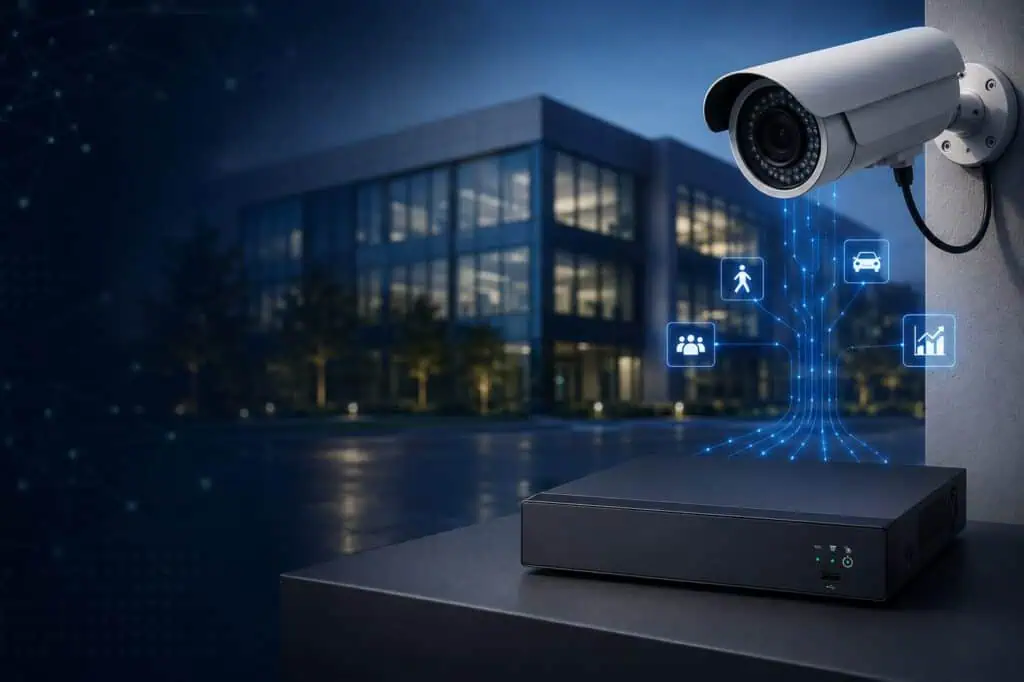
That is not always the case.
If your existing cameras still provide reliable coverage and usable video, you may be able to connect them to an AI-powered, cloud-managed video surveillance system. This approach allows you to modernize your security operations while protecting the investment you have already made in cameras, cabling and installation.
Here is how organizations can add AI to existing security cameras without starting over.
Why Upgrade Existing Cameras With AI Analytics?
Traditional security cameras are primarily designed to record video. They can provide valuable evidence, but someone usually has to know when and where an incident occurred before manually searching through the footage.
AI transforms cameras from passive recording devices into intelligent security tools.
Depending on the system and camera configuration, AI video analytics can help organizations:
- Detect people and vehicles
- Identify activity within designated areas
- Generate alerts for loitering or stopped vehicles
- Detect camera tampering or video loss
- Search recorded video more efficiently
- Monitor cameras across multiple properties
- Receive alerts through email or mobile devices
Instead of relying entirely on someone to watch live video or review hours of recordings, security teams can focus on activity that may require attention.
You May Not Need to Replace Working Cameras
A complete camera replacement can be expensive and disruptive, especially for organizations with dozens, hundreds or thousands of cameras.
Existing cameras may already provide the image quality, positioning and coverage needed to support your security objectives. The larger limitation may be the recorder or video management system connected to them.
By adding a compatible AI gateway, recorder or cloud video management platform, organizations can often retain their existing IP or analog cameras while gaining more advanced capabilities.
CheckVideo provides gateway and recorder options that connect existing cameras to the CheckVideo Cloud VMS. This can add centralized video management, recording, AI analytics, search, cloud backup and system health monitoring without requiring every camera to be replaced.
How to Add AI to an Existing Camera System
1. Evaluate Your Current Camera Environment
Start by documenting the cameras, recorders and network infrastructure currently in use.
Your assessment should include:
- Camera manufacturers and model numbers
- IP and analog camera counts
- Camera resolution and video formats
- Current NVR or DVR equipment
- Available network connectivity
- Recording and retention requirements
- Locations where coverage needs improvement
You should also identify any cameras that are damaged, poorly positioned or no longer producing acceptable video. AI cannot compensate for a blocked view, unreliable connection or image that is too unclear to interpret.
The goal is to determine which cameras can continue providing value and which should be replaced as part of a phased upgrade.
2. Connect Existing Cameras Through an AI Gateway or Recorder
An AI gateway acts as the bridge between existing cameras and a modern cloud-managed platform.
Rather than sending video only to a traditional recorder, compatible camera feeds are connected to the gateway. The gateway can provide local recording while also adding AI processing, cloud connectivity and centralized management.
CheckVideo’s IP gateways are designed to bring existing IP camera systems into its Cloud VMS. Analog installations can also be modernized using compatible recorder options, allowing organizations to upgrade without immediately replacing existing cabling and cameras.
This approach can be particularly valuable for:
- Multi-building campuses
- Manufacturing facilities
- Retail portfolios
- Commercial properties
- Municipal facilities
- Organizations with cameras from multiple manufacturers
Instead of managing separate systems independently, authorized users can access connected cameras through a centralized interface.
3. Select the AI Analytics That Address Real Problems
Start with the security and operational challenges your organization needs to solve.
For example:
Person and vehicle detection: Distinguish relevant activity from general motion caused by weather, shadows, animals or moving vegetation.
Zone detection: Generate an alert when a person or vehicle enters a defined area, such as a restricted entrance, equipment yard or loading dock.
Loitering detection: Identify when someone remains in a designated area longer than expected.
Stopped vehicle detection: Detect vehicles that remain in sensitive areas, including gates, fire lanes or delivery zones.
Camera tamper detection: Identify changes such as blocked views, significant scene changes or unusually dark video.
CheckVideo supports person, vehicle, zone, loitering, stopped-vehicle, tamper and video-loss analytics, along with operational capabilities such as counting, heat maps and dwell-time analysis.
4. Configure Alerts Around Your Response Plan
An alert only creates value when the right person receives it and knows what to do next.
Organizations should determine:
- Which activity should generate an alert
- Which cameras and areas require immediate attention
- Who should receive each type of notification
- Whether alerts should be sent to security, management or a monitoring center
- What action should follow a verified event
- How alert activity should be documented
AI can help reduce the volume of irrelevant motion events by focusing on defined objects and activity.
5. Bring Cameras and Locations Into One Platform
Modernization becomes especially valuable when an organization operates multiple buildings or properties.
A cloud-managed video system can bring cameras, gateways and locations into one interface. Security teams can view live and recorded video, manage authorized users, investigate incidents and monitor system status without logging into separate recorders at every property.
CheckVideo’s Cloud VMS supports centralized management across cameras and locations, including existing camera environments connected through compatible gateways or recorders.
This helps organizations establish more consistent security processes across their entire operation.
Additional Benefits Beyond AI Detection
Adding AI to existing cameras can also improve how the overall video system is managed.
Faster Video Investigations
Traditional investigations often require users to manually review timelines and recordings. AI-powered search tools can help teams narrow results and locate relevant activity faster.
Automated System Health Monitoring
A camera that is offline, blocked or producing poor video cannot protect a property. Automated health monitoring can notify administrators about camera tampering, poor video quality or a loss of communication so problems can be addressed before an incident occurs.
Secure Access From Web and Mobile Devices
Authorized users can securely access live and recorded video without being physically located at the property or directly connected to an on-site recorder.
Cloud Backup of Important Video
Critical clips can be stored in the cloud, helping protect important evidence from recorder failure, theft or physical damage.
Easier Expansion
Organizations can retain cameras that still meet their needs, replace individual devices when necessary and add new cameras as properties or security requirements change.
A Phased Upgrade Can Reduce Cost and Disruption
Modernizing video surveillance does not have to happen all at once.
An organization might begin with one facility, a group of high-priority cameras or a specific security challenge. Once the configuration and alert workflows have been validated, the system can be expanded to additional cameras and locations.
A phased approach allows teams to:
- Prioritize high-risk areas
- Spread investments across budget cycles
- Minimize installation disruptions
- Test analytics in real operating environments
- Replace cameras only when there is a clear need
- Standardize management across sites over time
The result is a more practical path to AI-powered video security without discarding equipment that still provides value.
Upgrade Your Cameras, Not Your Entire Infrastructure
Your existing security cameras may be capable of doing much more than recording video.
By connecting them to an AI-powered, cloud-managed platform, you can add intelligent detection, faster investigations, centralized management, proactive system monitoring and cloud-connected access without replacing every camera.
CheckVideo works with existing camera environments to help organizations modernize their video surveillance systems at their own pace.
Ready to add AI to your existing security cameras? Contact CheckVideo to schedule a demonstration and explore the right upgrade path for your organization.