


Security cameras are only valuable if they are working when you need them.
That may sound obvious, but many organizations do not realize a camera is offline, disconnected, misconfigured, blocked, or no longer recording until after an incident occurs. By then, it may be too late. The footage needed to investigate theft, trespassing, property damage, liability claims, safety concerns, or after-hours activity may be missing.
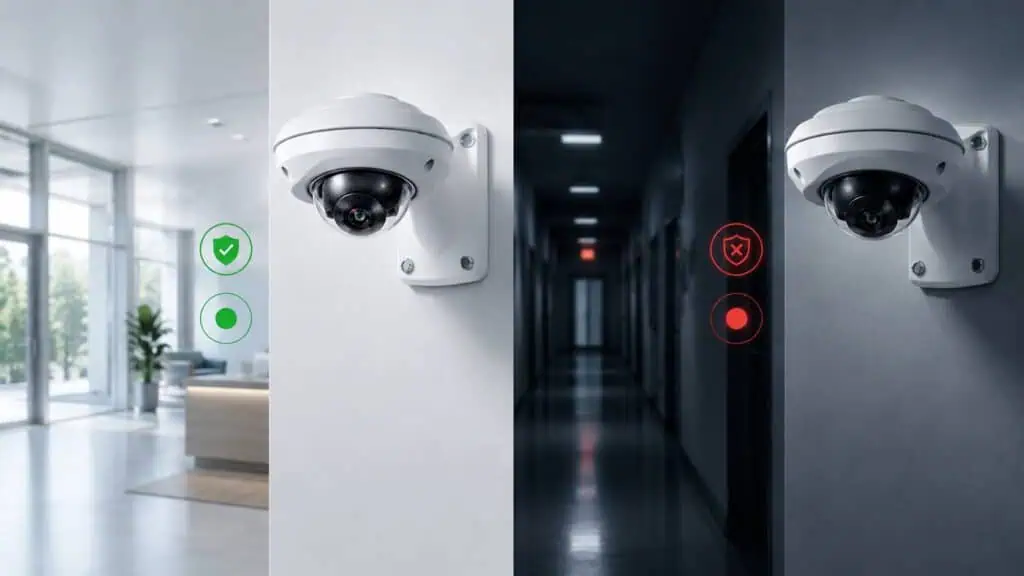
That is why video system health monitoring has become one of the most important features in modern video surveillance.
Video system health monitoring helps security, operations, and IT teams know when cameras, recorders, gateways, or other system components are not working properly. Instead of discovering a problem during an investigation, teams can receive alerts when something needs attention.
In short, camera health monitoring helps answer a simple but critical question: Are your security cameras actually working right now?
What Is Video System Health Monitoring?
Video system health monitoring is the process of continuously checking the status of your video surveillance system to identify problems before they create security blind spots.
This can include monitoring whether cameras are online, whether video is recording, whether a device has lost connection, whether storage is functioning properly, whether software is up to date, and whether a camera or recorder requires attention.
For businesses with multiple buildings, campuses, or locations, this is especially important. A single site may have dozens or hundreds of cameras. A larger organization may have thousands of cameras across many locations. Without centralized visibility, it becomes difficult to know which cameras are healthy, which devices need maintenance, and which areas may be exposed.
Health monitoring gives organizations a more proactive way to manage video surveillance. Instead of waiting for someone to manually check cameras or report a problem, the system helps identify issues automatically.
Why Camera Offline Alerts Matter
When a security camera goes offline, it can create an immediate gap in visibility.
That gap may not seem urgent if nothing is happening at the moment. But if an incident occurs while the camera is down, the consequences can be significant.
A camera offline alert helps notify the right team that a device may need attention. This allows organizations to respond faster, reduce downtime, and avoid discovering the issue days or weeks later.
Camera offline alerts are especially valuable for:
- Parking lots and garages
- Building entrances and exits
- Loading docks
- Storage areas
- Retail locations
- School campuses
- Manufacturing facilities
- Remote or unmanned properties
- Multi-site businesses
- Guard desks and monitoring centers
If a camera is covering a critical access point or high-risk area, even a short outage can matter. Health monitoring helps make sure those cameras stay visible and operational.
The Real Risk: Missing Footage When It Matters Most
The biggest problem with an unhealthy video system is not always the camera issue itself. It is the missing evidence that results from it.
Most organizations rely on video footage after something happens. They may need to confirm when a person entered a building, identify a vehicle, review a slip-and-fall claim, investigate property damage, or understand how an event unfolded.
But if the camera was offline or not recording, there may be nothing to review.
Missing footage can create several problems:
- Investigations take longer
- Incidents become harder to verify
- Liability claims become more difficult to resolve
- Security teams lose confidence in the system
- Operations teams spend more time troubleshooting
- Leadership may question the value of the surveillance investment
A video surveillance system should reduce risk. If cameras fail silently, the system can create a false sense of security.
Why Manual Camera Checks Are Not Enough
Some organizations rely on manual checks to confirm that cameras are working. A team member may log into the system, scan through live views, or check cameras only when there is a known issue.
That approach does not scale.
Manual checks are time-consuming, inconsistent, and easy to overlook. They also may not catch deeper system issues, such as recording problems, network interruptions, storage errors, or device-level failures.
For a small business with a few cameras, manual checks may seem manageable. But for an enterprise, school district, property management group, manufacturing company, or multi-site retailer, the process quickly becomes difficult.
The more cameras and locations you have, the more important it becomes to automate system health visibility.
Common Video Surveillance Health Issues
Video system health monitoring can help identify a wide range of problems that may affect security coverage.
1. Cameras Going Offline
A camera may lose power, disconnect from the network, fail due to hardware issues, or become unreachable. Without an alert, the outage may go unnoticed.
2. Recording Errors
A camera may appear online but may not be recording properly. This can create a serious problem if an incident needs to be reviewed later.
3. Network Interruptions
Temporary or recurring connectivity issues can affect video quality, recording reliability, and remote access.
4. Storage or Media Problems
If storage is full, corrupted, or unavailable, footage may not be saved correctly.
5. Outdated Software
Systems that are not regularly updated may miss important security patches, performance improvements, or new features.
6. Configuration Issues
Changes to users, cameras, permissions, recording schedules, or device settings can create problems if they are not managed properly.
7. Tampering or Physical Obstruction
A camera may be moved, blocked, covered, damaged, or intentionally disabled.
A healthy surveillance system is not just about having cameras installed. It is about making sure every critical part of the system is functioning as expected.
Health Monitoring Is Especially Important for Multi-Site Businesses
Managing video surveillance at one location can be challenging. Managing it across dozens or hundreds of locations is much harder.
Multi-site businesses need a centralized way to see what is happening across their entire video environment. This includes camera status, device health, user access, recording performance, and system alerts.
Without centralized health monitoring, teams may have to rely on local staff to notice issues. That creates inconsistency. One location may report problems quickly, while another may not realize a camera has been offline for days.
Centralized video system health monitoring helps organizations standardize visibility across every site.
This is important for industries such as retail, education, automotive dealerships, manufacturing, property management, utilities, municipalities, logistics, warehouses, guard services, and enterprise facilities.
For these organizations, uptime is not just a technical concern. It directly affects safety, security, operations, and incident response.
How Cloud Video Surveillance Improves System Health Visibility
Traditional video systems often depend on on-site servers, local recorders, and manual maintenance. These systems can be difficult to manage, especially when they are spread across multiple locations.
Cloud video surveillance changes that model.
With a cloud-managed video system, cameras, gateways, recorders, and users can be managed centrally. Remote access, automatic updates, system alerts, and health monitoring can help reduce the burden on local staff and IT teams.
Cloud-based health monitoring can help organizations identify offline cameras faster, reduce the need for on-site troubleshooting, manage multiple locations from one interface, keep software more current, monitor recording and device status, and improve confidence that footage will be available when needed.
For security teams, the benefit is simple: fewer surprises.
Instead of finding out a camera was not working after an incident, teams can address issues sooner.
Why Health Monitoring Supports Better Investigations
Fast investigations depend on reliable footage.
When an incident occurs, teams need to quickly find the right video, verify what happened, and take action. But if cameras are offline, recordings are incomplete, or system issues are unknown, investigations become harder.
Video system health monitoring supports investigations by helping ensure the system is ready before an incident occurs.
A healthy system gives teams a better chance of capturing the footage they need. It also helps reduce wasted time caused by searching for video that was never recorded.
This matters for both security and operations. Video is often used to investigate more than crime. It can also support workplace safety, compliance, customer disputes, delivery issues, access control questions, and operational reviews.
Health Monitoring Helps IT and Security Teams Work Together
Video surveillance now sits at the intersection of physical security and IT.
Security teams care about visibility, alerts, investigations, and response. IT teams care about uptime, network health, cybersecurity, software updates, and system management.
Health monitoring helps both teams.
For security teams, it provides confidence that cameras are available and recording. For IT teams, it provides better visibility into devices, network-related issues, updates, and system performance.
Instead of waiting for a user to report a problem, teams can see what may need attention and prioritize support more effectively.
What to Look for in a Video System Health Monitoring Solution
Not all video surveillance systems provide the same level of health visibility. When evaluating a modern video system, organizations should look for features that make maintenance easier and reduce blind spots.
- Centralized device management: Teams should be able to view and manage cameras, recorders, gateways, and users from one place.
- Camera offline alerts: The system should notify teams when a camera or device goes offline.
- Remote diagnostics: Teams should be able to investigate issues without always sending someone on-site.
- Automatic software updates: Updates should be easy to deploy so the system can stay current and secure.
- Multi-site support: The platform should scale across multiple locations without creating unnecessary complexity.
- Health reports: Reports can help teams review system status, document issues, and track recurring problems.
- User and permission management: A strong system should make it easy to manage who has access to which cameras and locations.
The Bottom Line: A Camera That Fails Silently Is a Security Risk
Security cameras should not be a guessing game.
If a camera goes offline, stops recording, or experiences a system issue, your team should know as soon as possible. Video system health monitoring helps organizations move from reactive troubleshooting to proactive system management.
For modern businesses, schools, municipalities, and multi-site organizations, health monitoring is no longer a nice-to-have feature. It is a critical part of a reliable video surveillance strategy.
The question is not just whether you have cameras.
The better question is: Are your cameras working when you need them most?
Frequently Asked Questions About Video System Health Monitoring
What is video system health monitoring?
Video system health monitoring is the process of checking the status of cameras, recorders, gateways, software, storage, and other video surveillance components to identify issues before they cause security gaps.
Why do security cameras go offline?
Security cameras can go offline because of power issues, network problems, hardware failure, software issues, configuration changes, or physical tampering.
Why are camera offline alerts important?
Camera offline alerts notify teams when a camera may not be available. This helps reduce downtime and lowers the risk of missing footage during an incident.
Who needs video system health monitoring?
Any organization that relies on video surveillance can benefit from health monitoring, especially businesses with multiple locations, large camera counts, remote properties, or critical security areas.
How does cloud video surveillance help with health monitoring?
Cloud video surveillance can centralize camera and device management, provide remote access, support software updates, and help teams monitor system status across multiple locations.
Ready to Improve Video System Health Across Your Organization?
CheckVideo helps organizations centralize video management, monitor system health, and reduce security blind spots across one site or hundreds. With cloud-managed video surveillance, teams can improve visibility, reduce downtime, and make sure critical cameras are working when they are needed most.
Contact CheckVideo to learn how modern video system health monitoring can help protect your people, property, and operations.